How to record a FaceTime call on a Mac, both sides
Record a FaceTime call on a Mac with both sides and a transcript, even though FaceTime gives you no record button for a video call.
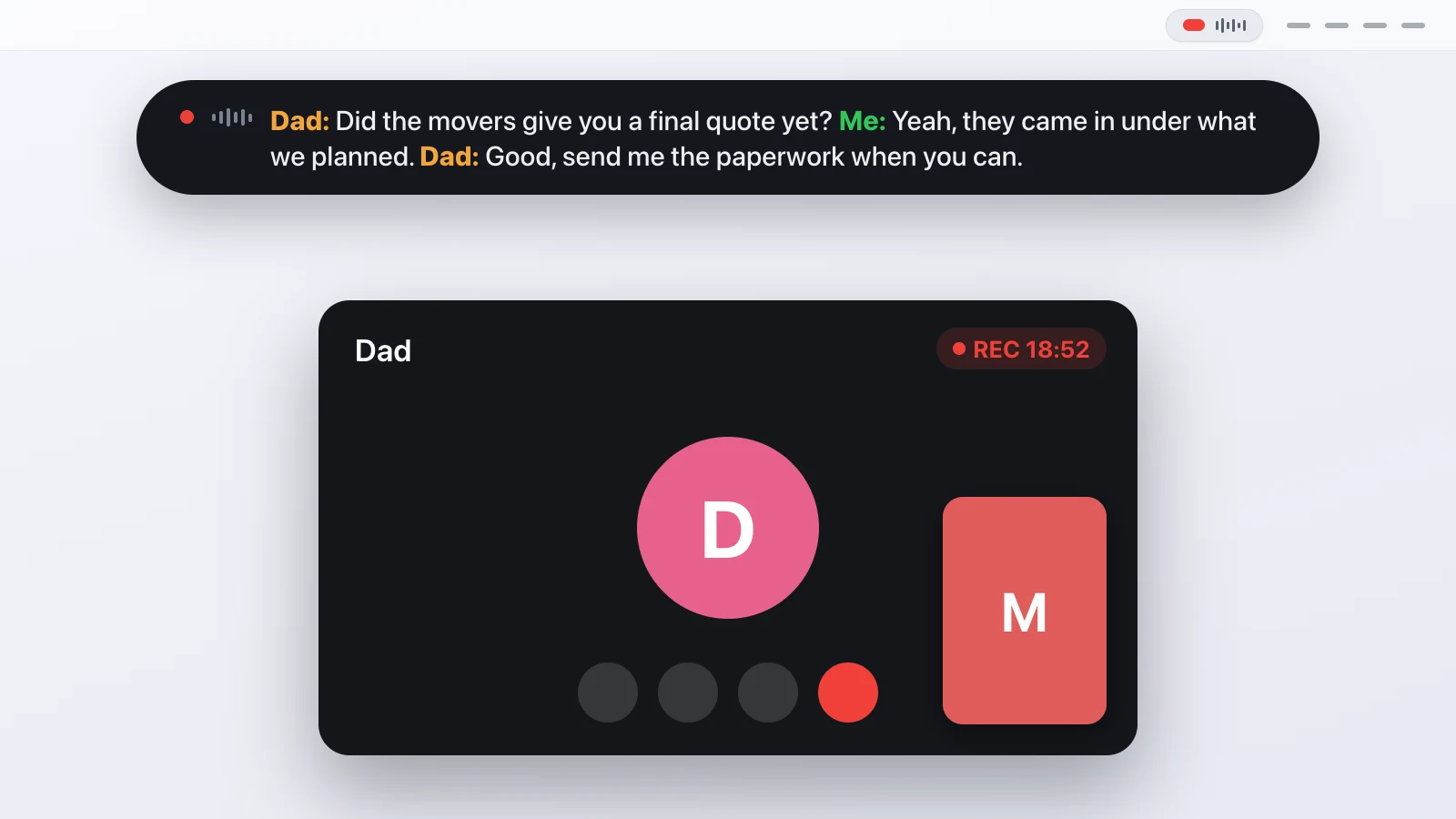
Recording a FaceTime call on a Mac means capturing two things at once: your own microphone and the other person's voice, which FaceTime plays through your speakers like any other app. FaceTime doesn't give you a record button for a video call. Recent macOS versions can record a one-to-one FaceTime audio call where your region allows it, and they tell both sides out loud, but group calls and video calls are left out. The way that works for all of them is to record both channels locally and write the transcript as the call goes.
This guide covers what FaceTime records on its own, how to capture the rest with a transcript, and where the approach has limits.
Doesn't FaceTime record calls on its own?
For a one-to-one FaceTime audio call, recent macOS can. Apple added a call recording control that also writes a transcript, and both people hear a spoken notice when it starts. There are two catches. It's limited to audio calls with a single other person, and it depends on your device and region, so for a lot of people the option is missing or greyed out. A FaceTime video call, or a call with several people, has no built-in recording at all.
So if the call you care about is a video call, a group call, or one where the built-in feature isn't offered to you, you're back to capturing the audio yourself. That is also the setup that gives you the same kind of transcript for every FaceTime call, instead of one behaviour for audio and nothing for video.
Why doesn't screen recording capture the other person?
Because macOS treats the sound another app plays as that app's audio, not part of the screen. Press Command-Shift-5 during a FaceTime call and you can record the screen, and you can add your own microphone, but the other person's voice, which is coming out of your speakers, isn't in the file. People used to close that gap with a virtual audio driver, but trust me when I say that even for a techy person like me this was a nightmare to set up, and it always breaks.
Since macOS 14.2 there's a cleaner path. Apple offers an audio tap that lets an app listen to what other apps are playing, once you grant it permission. That's the piece that makes recording the far end of a FaceTime call straightforward: your microphone for your side, the tap for theirs, two channels recorded in parallel. Splitting them from the start is also what lets the transcript tell you apart from the other person afterwards.
How do you record a FaceTime call?
Transcriber sits in the menu bar as a little pill. You click it, or press the global shortcut Control-Option-Command-R, and it starts recording both channels. You can do this before the call rings or once you're already talking. The pill turns red and pulses, and a floating bar shows the transcript forming, so you can check that both sides are coming through.
The first time, macOS asks for two permissions, Microphone and System Audio Recording, and both are needed. The first recording also downloads the transcription model, about a gigabyte, which happens once. When the call ends you click the dot again, the app finishes transcribing and asks for a title, and that title becomes the folder name.
Do you need everyone's consent?
Yes, and a FaceTime call makes this sharper than a work meeting, because these calls are usually personal. Recording a conversation without consent is illegal in many places. In Germany that's § 201 StGB, which makes recording the non-public spoken word without permission a criminal offence. This isn't legal advice, and the exact rules depend on where each of you is, so the safe move is the simple one: tell the other person before you press record. FaceTime's own audio recording announces itself; when you record locally, that part is on you (and you really should).
What do you get at the end?
A folder named after the date and the title, holding a readable Markdown transcript grouped by speaker with timestamps, and next to it a line-by-line JSON file that's flushed after every segment. That second file is the crash-safe one: if your Mac quits mid-call, everything up to the last segment is already on disk, and you're offered to finish the recording on the next launch. For a normal one-to-one FaceTime call you get two clean speakers, you and them. If several people are on a group call, the diarization step splits the far side into Speaker 1, Speaker 2 and so on. You can also keep the raw audio and export SRT or JSON if something downstream needs them.
Where does this approach fall short?
It records audio and a transcript, not the video, so if you wanted the picture too, this isn't that. The transcript is a machine transcript, so names and heavy accents will want a read-through, and the far-side labels are labels, not names. It runs only on a Mac, because the whole thing depends on the macOS audio tap, and it can't record a call you're not on. For a private, complete transcript of the FaceTime calls you're actually part of, without uploading a second of audio, that's the trade it makes.
For the same mechanics on a work call, the post on recording a Zoom call on a Mac walks through a recording start to finish.
Questions people ask
Can't macOS record a FaceTime call by itself?
Only a one-to-one FaceTime audio call, on recent macOS and where your region allows it, and it announces itself to both people. A video call or a group call has no built-in record button, so you record the microphone and the system audio yourself.
Will the other person be recorded too?
Yes. Their voice comes out of your Mac's speakers as system audio, so it's captured as its own channel and lands in the transcript with a separate speaker label.
Does the other person get told I'm recording?
Not automatically when you record locally. FaceTime's own audio recording plays a spoken notice, but a local recorder can't do that for you, so telling people is your job.
Does any audio leave my Mac?
No. The transcription runs on your machine with a downloaded model. The only network access is the one-time model download and the update check against GitHub.
Which macOS version do I need?
macOS 14.2 or newer, because that's where Apple added the audio tap that lets one app record another app's sound. An Apple Silicon Mac is recommended.
Is it legal to record a FaceTime call?
It depends on where each person is. In many places, including Germany, recording without consent is a crime. Tell everyone before you start.
This article was written with the help of AI, based on how Transcriber actually works, and read and approved by Moritz before publishing.