How to summarize a meeting transcript with AI
How to summarize a meeting transcript with AI without handing the call to a cloud tool: get the text privately, then paste it into ChatGPT or Claude.
You summarize a meeting transcript with AI by pasting the full text into a model like ChatGPT or Claude and asking, in one clear prompt, for the decisions, the action items and the open questions. The quality comes down to two things you decide before the AI sees anything: a transcript that says who spoke, and a prompt specific enough to return more than a polite recap. There's one more thing worth thinking about, which most guides skip: this is the step where your words leave your machine, so it's worth deciding what you send and to whom.
What do you actually send the AI?
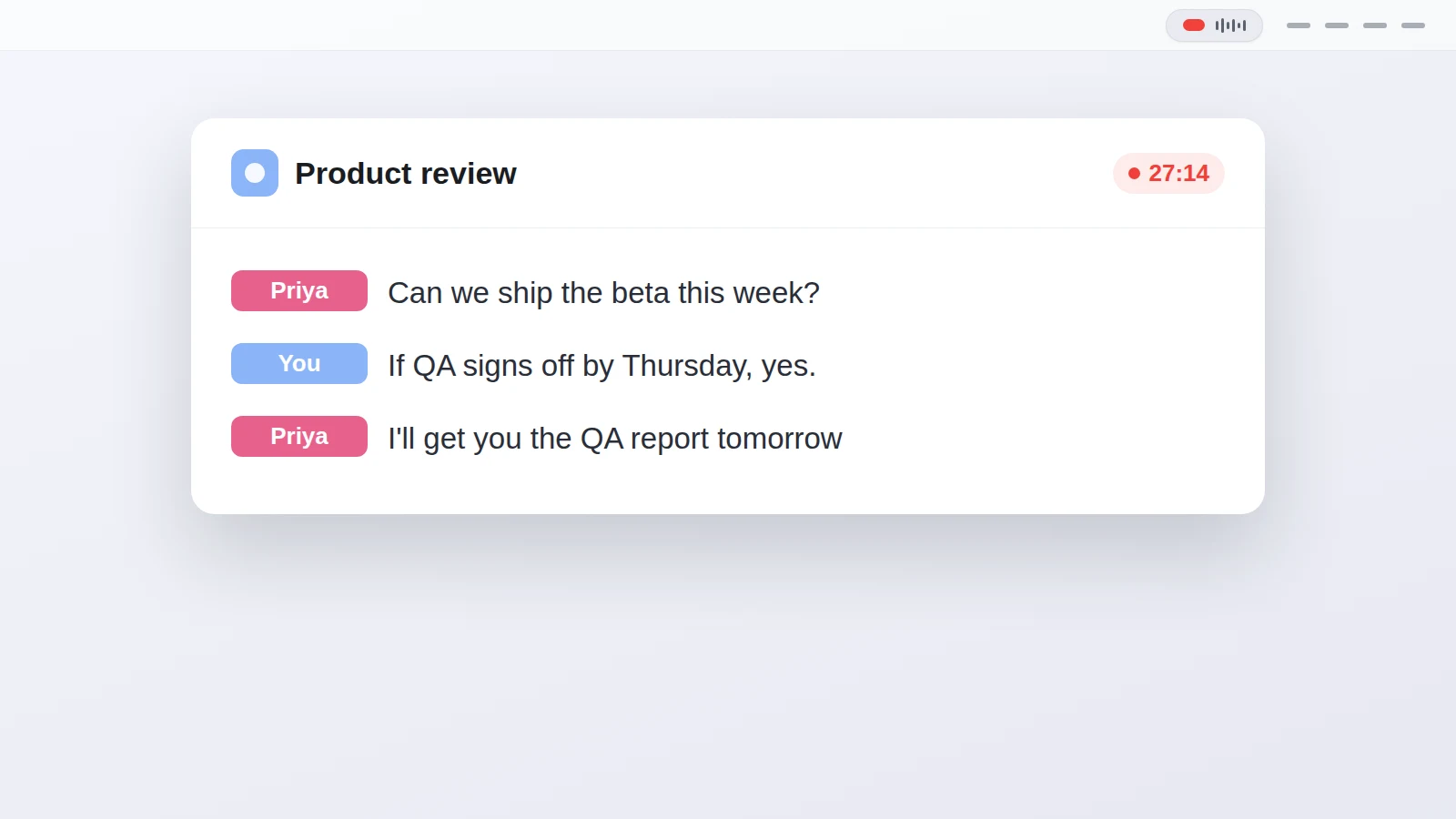
You send the transcript as text, and it works best when the text already says who said what. An AI summary is only as good as its ability to tell that Priya agreed to the deadline and Sam raised the budget question. If the transcript is one undivided block of speech, the model has to guess at attribution, and it guesses wrong often enough that you stop trusting the action items. So a transcript with speaker labels does half the work before you write a single word of prompt.
Most cloud note-takers hide this step from you. They record the call, transcribe it and summarize it in one pass on their servers, and you get the summary at the end. That's convenient right up until the call is something you'd rather not have sitting on a vendor's disk. The alternative is to keep the transcript as a plain file you own, and treat summarising as a separate, optional step you run on your terms.
What prompt gives you more than a vague recap?
Ask for named parts, not a summary in the abstract. "Summarize this" gets you a paragraph that reads fine and helps no one. The prompt that actually earns its place tells the model the shape of the answer you want:
Summarize this meeting transcript. Give me a two-line summary first, then the decisions we made, the action items with who owns each one, and any open questions we didn't resolve. Where a decision isn't clear in the text, quote the line it came from. Transcript below.
That structure works because each request maps to something you'll use later. A short summary is worth asking for on its own terms, and under it you want:
- the decisions, stated plainly, so nobody relitigates them next week
- action items with an owner attached, because an unowned task is a task nobody does
- open questions, so the thing you forgot to resolve doesn't quietly disappear
You can tune it from there. Ask for a shorter version to paste into an email, a longer one for the archive, or a pass that flags anything a specific person committed to. The model does the tailoring; your job is to say which cut you want.
How do you get the transcript in the first place, privately?
You record and transcribe the call on your own Mac, and only then decide whether the text goes to an AI. Most summarising guides start from a transcript that already exists, which quietly assumes a bot joined your call or your audio went to a cloud service to be transcribed. If the conversation is sensitive, that transcription step is where it leaks, long before you get anywhere near a summary.
On macOS 14.2 and newer, an app can capture what your Mac plays and your microphone as two separate channels, run the speech model locally, and write the transcript to a folder while the call is still going, no bot in the meeting. Transcriber does this: your side and the far side land on different channels, so the speakers are already half separated, and diarization splits the remote channel into Speaker 1, Speaker 2 and so on for you to rename. It's free and open source. I've written separately about transcribing a call locally and about recording a meeting without a bot, if you want the detail on either half.
Because the transcript is a file, the hand-off to an AI is a copy and paste. There's also a shortcut for it: point Settings at Claude, ChatGPT or Perplexity with your prompt template saved, and "Open Last Transcript in..." opens that tool with the transcript and the prompt already filled in, so you press Enter. The template holds the exact wording from the section above, so you write the good prompt once.
Which part actually leaves your Mac?
The summary is the one step that sends your words out, and it's worth being honest about that. Recording and transcription can stay entirely on your machine, offline after the one-time model download. The moment you paste the transcript into ChatGPT or Claude, though, that text goes to their servers like any other message you send them. That's the trade for using a capable model you didn't have to run yourself.
If even the summary has to stay private, you have two honest options: run a local model over the transcript instead of a hosted one, or read the transcript and pull the decisions out yourself, which a clean speaker-labelled transcript makes quick. Neither is as effortless as pasting into a chat window. The point of keeping the transcript local isn't that the AI step becomes private too, it's that you get to decide, per transcript, whether this particular conversation is one you're willing to send.
Questions people ask
How do I summarize a meeting transcript with AI?
Paste the full transcript into a model like ChatGPT or Claude and ask for a short summary, the decisions made, action items with owners, and any open questions. A specific prompt and a transcript that labels the speakers get you a usable answer instead of a vague recap.
What is a good prompt to summarize a meeting transcript?
Ask for named parts rather than a summary in general. Something like "Give me a two-line summary, then the decisions, the action items with who owns each, and the open questions" works far better than "summarize this".
Does the transcript need speaker names for a good summary?
It helps a lot. A summary is only as useful as knowing who agreed to what, so a transcript that separates the speakers lets the AI attribute decisions and action items to the right person.
Is it safe to paste a meeting transcript into ChatGPT?
The summary step sends the transcript text to whichever service you pick, so treat it like any other upload. If the conversation is sensitive, keep the recording and transcription local and decide per transcript whether the text should leave your machine at all.
Can I summarize a Teams meeting transcript this way?
Yes. Once you have the transcript as text, it does not matter which app the call was in. The same paste-and-prompt approach works for a Teams, Zoom, Meet or FaceTime call.
Do I need a special tool, or is ChatGPT enough?
For the summary itself, a general model like ChatGPT or Claude is enough. The part worth solving separately is getting a clean, private transcript in the first place, which is a recording and transcription job, not a summarising one.
This article was written with the help of AI, based on how Transcriber actually works, and read and approved by Moritz before publishing.